




Skip to content

Better meetings.
Bigger momentum.

HD video meetings, webinars and recordings, with live notes, a whiteboard and MUI turning every conversation into decisions and next steps.

Free: 40-minute meetings with up to 100 participants.
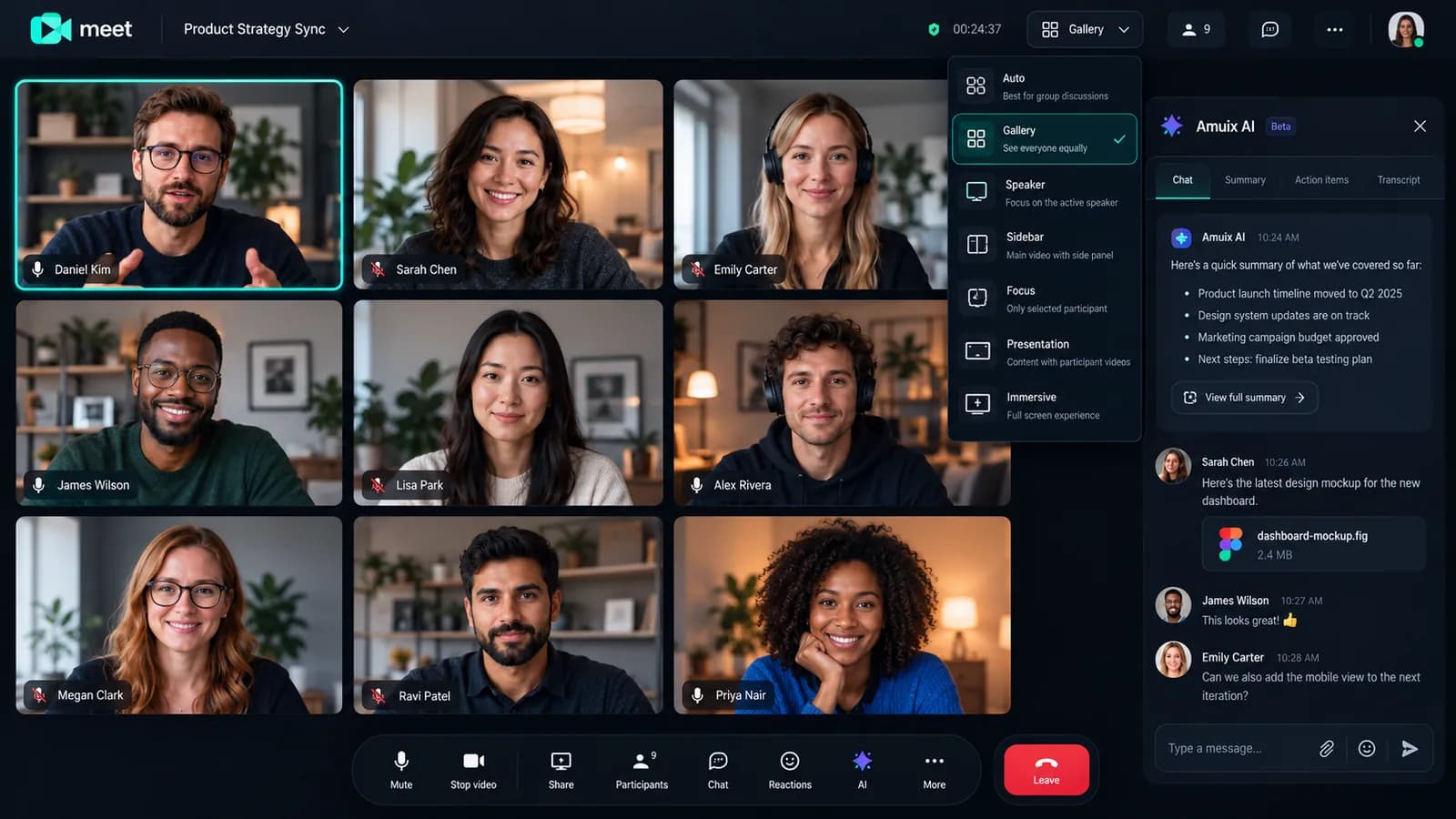
Amuix Meet video call in gallery view with the AI assistant panel
Live · Product strategy sync

Every kind of meeting, one tap away.

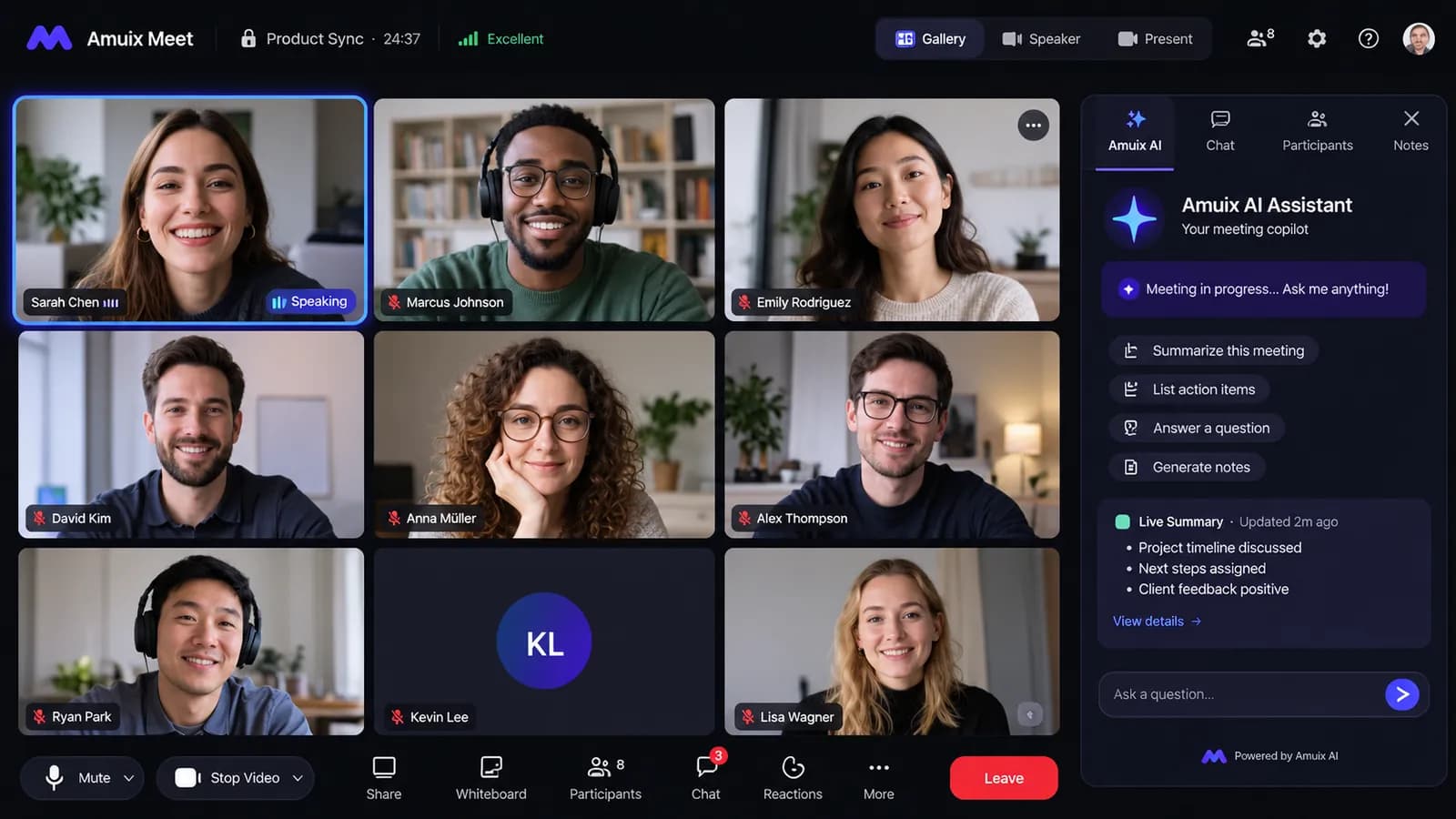
Amuix Meet gallery view with the meeting copilot open

Before. During. After. Handled.

Most meeting tools stop when the call ends. Meet carries the conversation into your plans, documents and calendar.

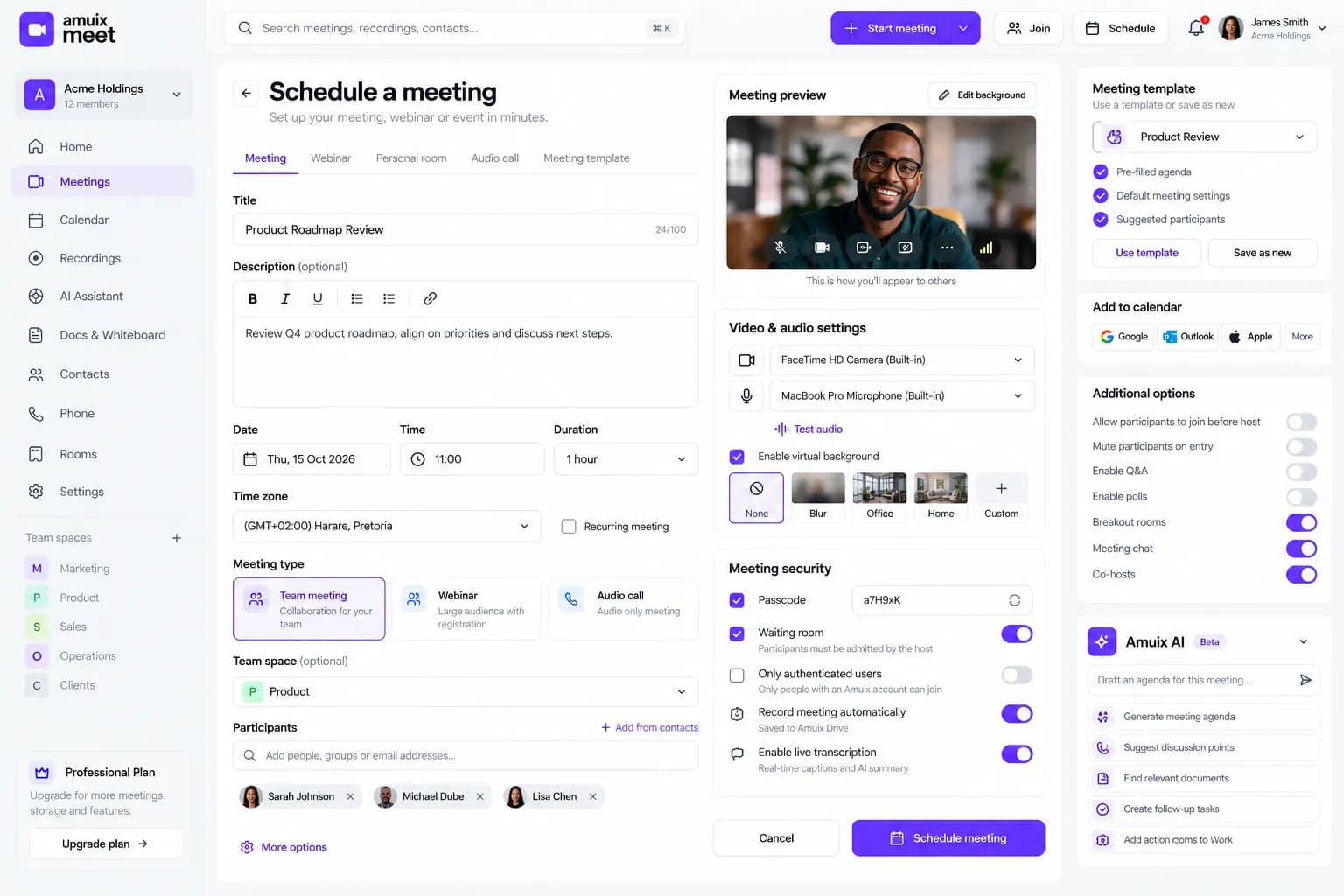
  1. Amuix Meet scheduling form with time zone, security and video preview

    Before. Schedule with context

    Pick a template, set the time zone and security, add the agenda, and invite from Calendar, Mail or Work.

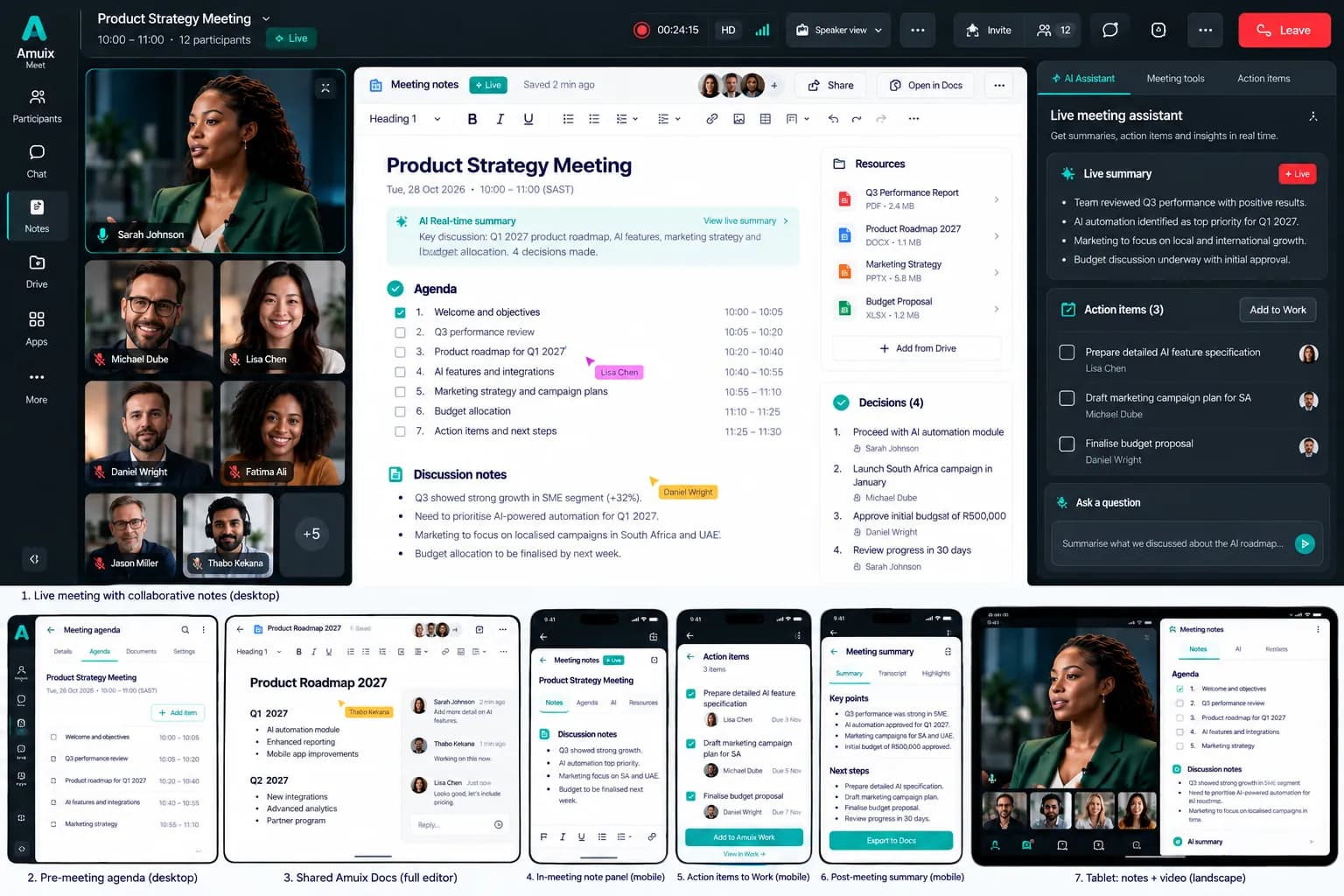
  2. Amuix Meet live meeting with collaborative notes and action items

    During. Collaborate, don’t just talk

    Shared notes, agenda and action items stay visible to everyone while the call runs.

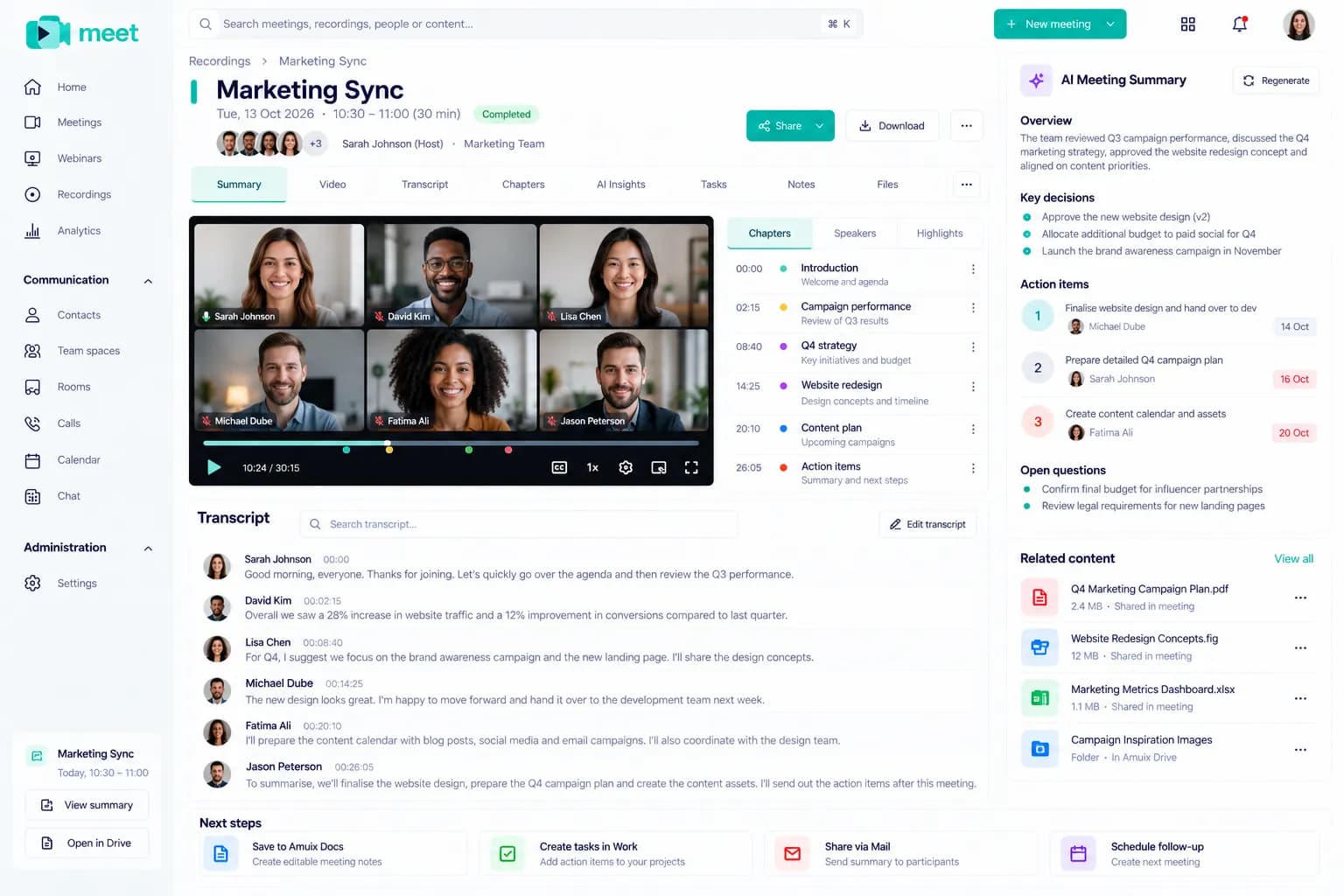
  3. Amuix Meet recap with recording, transcript, AI summary and next steps

    After. Leave with a recap

    Recording, transcript, chapters, AI summary and next steps, saved and shared automatically.

Everything a serious meeting needs.

Capacity and some features depend on your plan. See Pricing for details.

HD video and audioClear video, noise suppression and connection diagnostics.
Meeting schedulingTime zones, recurrence, templates and calendar invites.
Pre-join lobbyCheck camera, microphone and background before you join.
Screen sharingShare a screen, window or tab while staying visible.
Collaborative whiteboardSketch, plan and map ideas together in real time.
In-meeting and team chatMessages, files and reactions, before, during and after.
Waiting room and host controlsAdmit, mute, spotlight and remove participants.
RecordingRecord meetings and find them later with transcripts.
Breakout roomsSplit into small groups and bring everyone back.
Webinars and live eventsRegistration, backstage, Q&A, polls and analytics.
Notes and action itemsAgenda, decisions and owners captured as you talk.
Business callingCall contacts and join by phone.

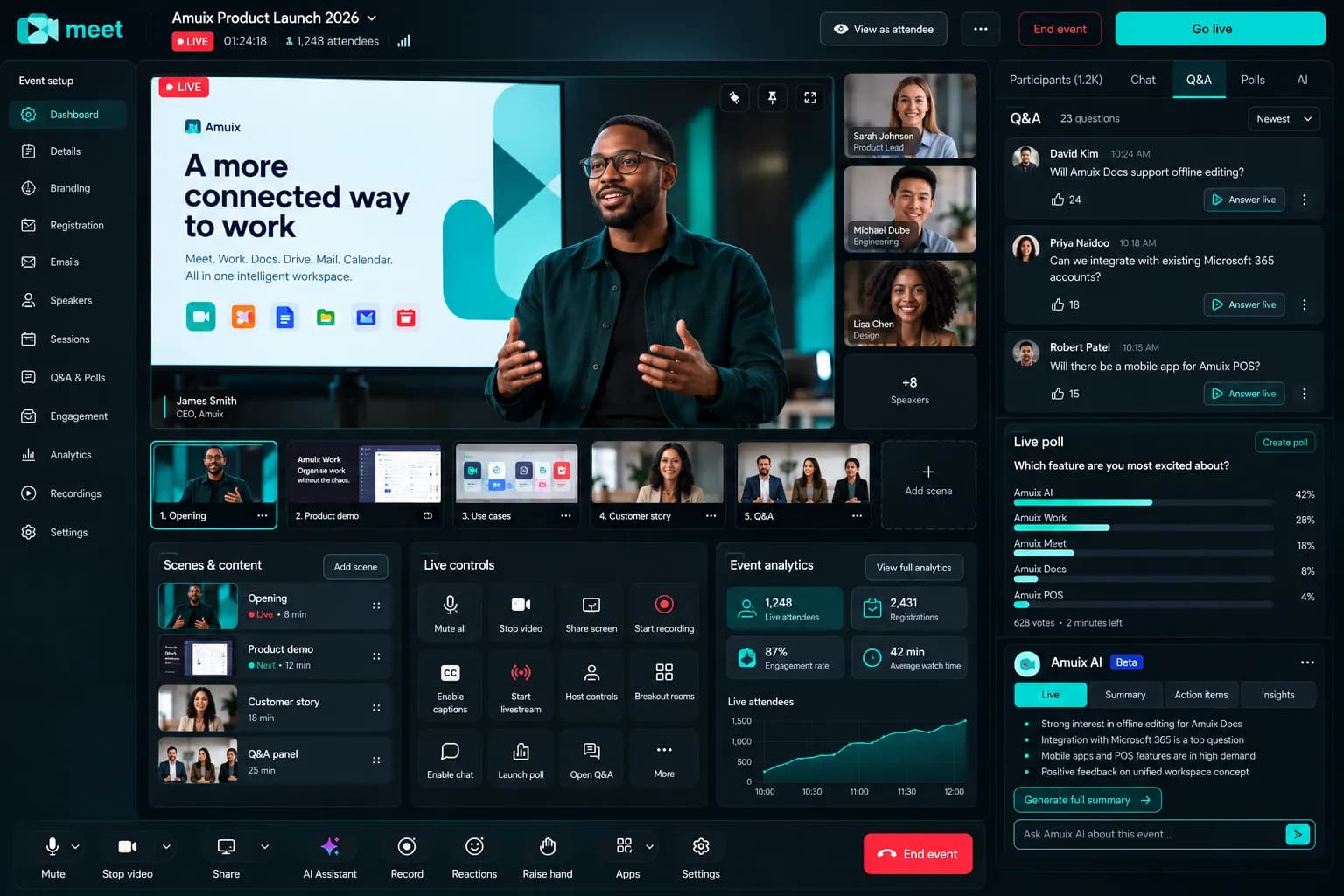
Run the event from a real studio.

Registration pages, a backstage for speakers, scenes, Q&A, polls and live analytics, for up to 300 participants on Business.

Amuix Meet webinar studio with live stage, scenes, Q and A and polls
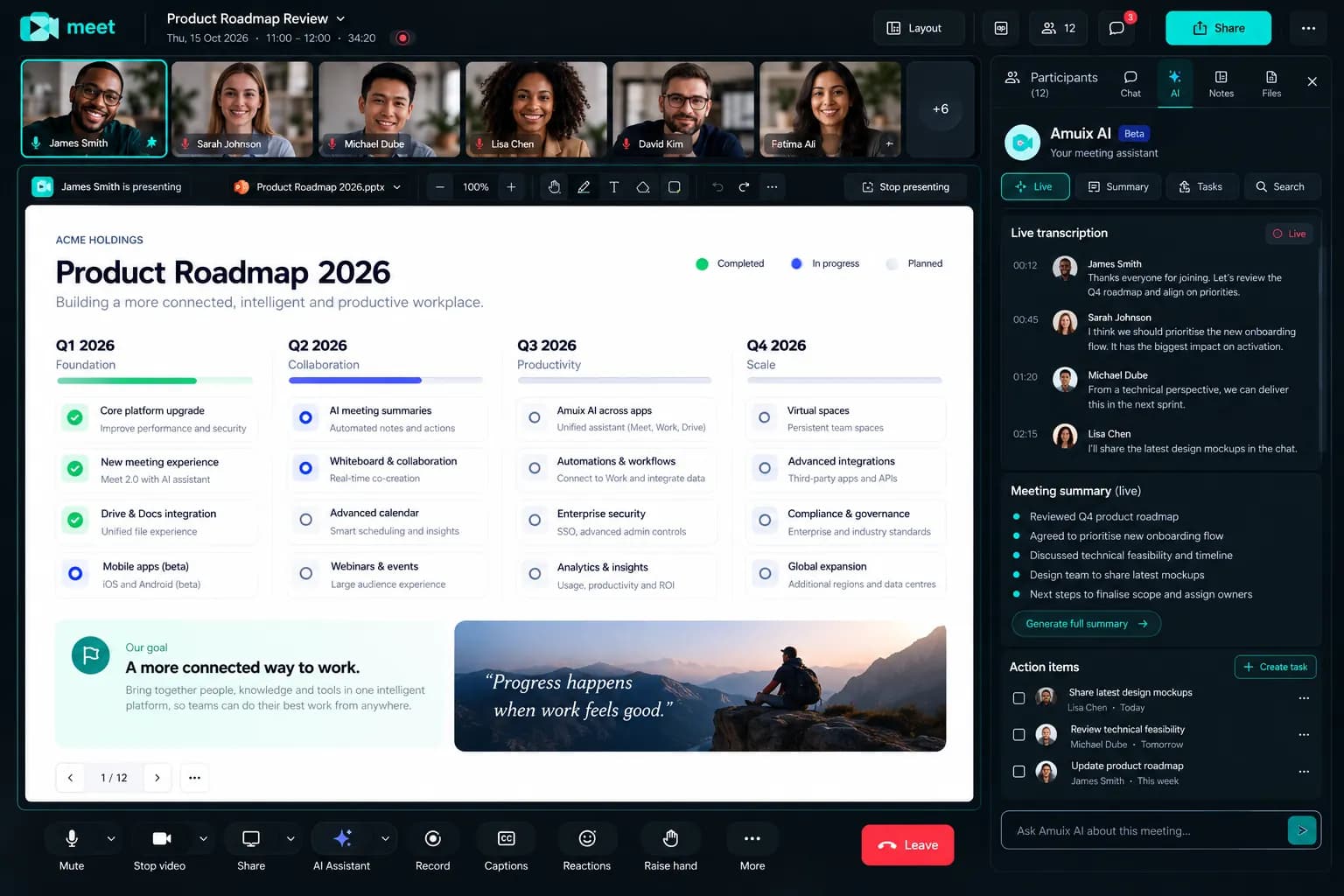
Amuix Meet presentation view with live transcription and action items

MUI listens, so everyone can take part.

  • In beta: drafts the agenda before you join
  • Live transcription and key points during the call
  • Summary, decisions and action items when it ends
  • Creates tasks in Work and saves notes to Docs, after you confirm
How MUI works →

Meeting rooms, phones and the rest of Amuix.

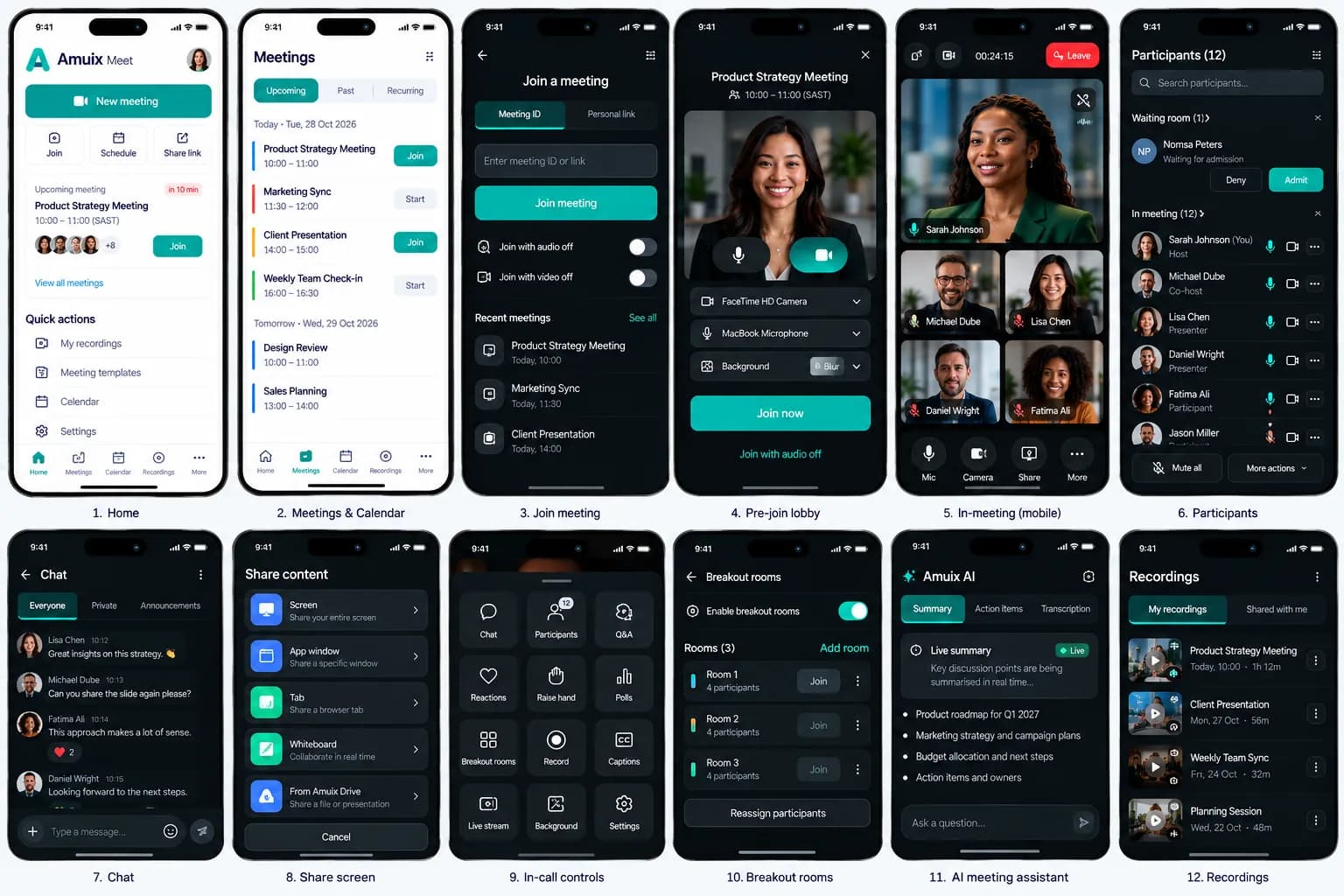
Amuix Meet mobile screens from home to in-meeting controls

Desktop and mobile

Join, present, chat and manage participants from your phone.

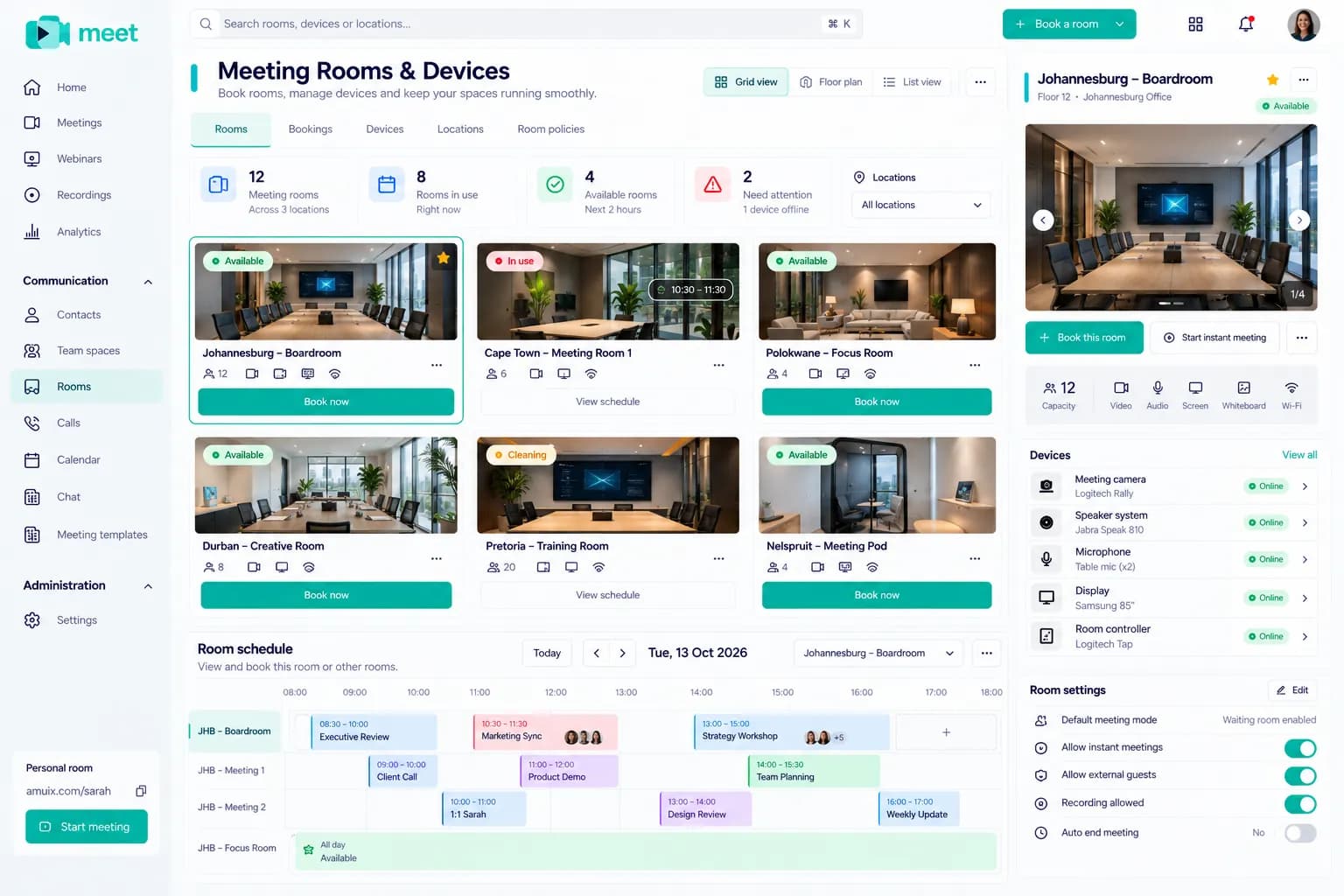
Amuix Meet meeting rooms and devices management

Rooms and devices

Book boardrooms, see what’s free and manage room cameras and displays.

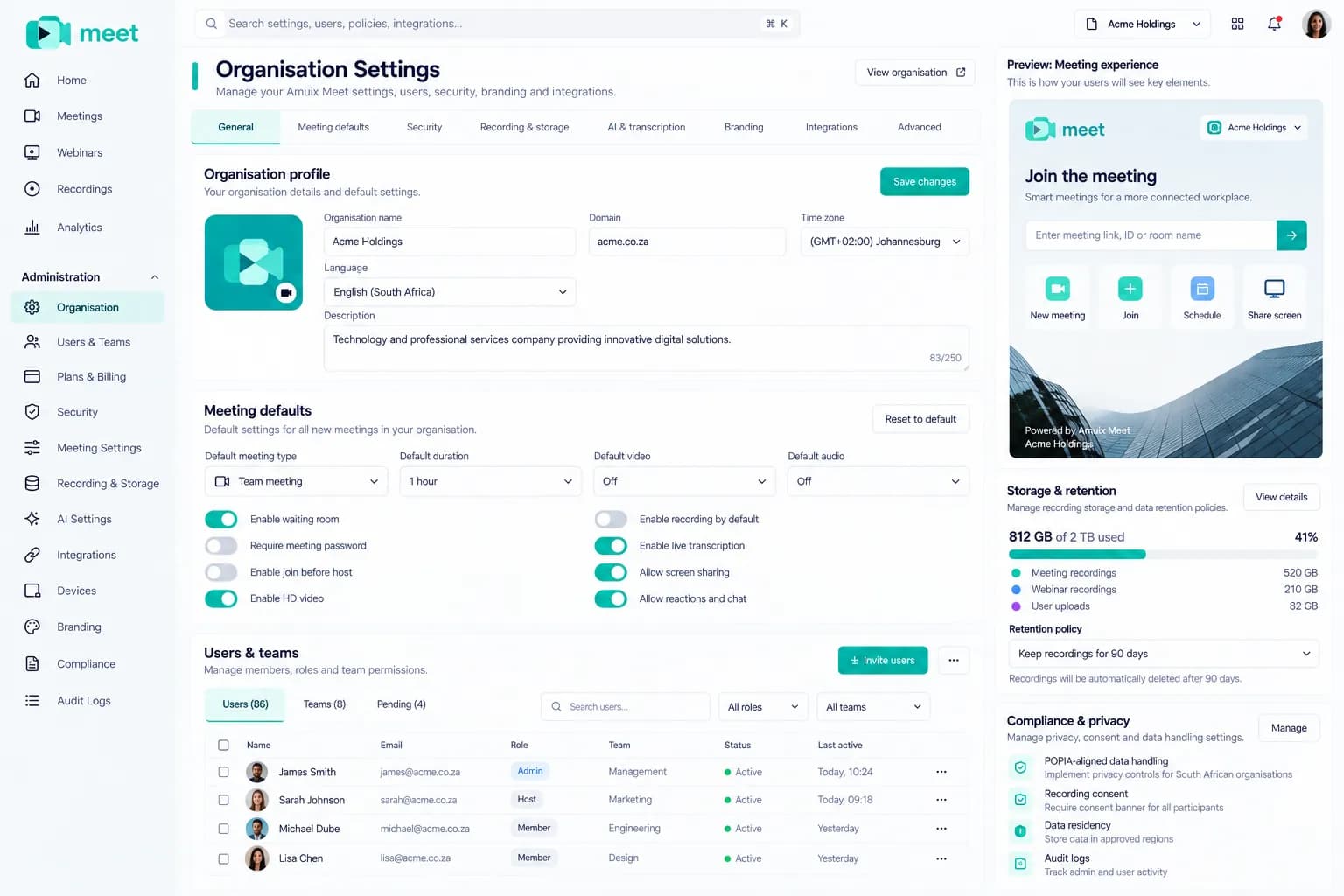
Waiting rooms, passcodes and defaults your whole organisation inherits.

Amuix Meet organisation settings with meeting defaults and security
FreeMeet Basic, 40-minute meetings, 100 participants
StarterMeet Pro with unlimited meeting length, plus Amuix Mail
BusinessMeet Business, 300 participants and webinars
Compare plans in your currency →

Questions about Amuix Meet

What is Amuix Meet?

Amuix Meet is a video meeting and webinar product. It covers instant and scheduled meetings, recordings, collaborative notes, a whiteboard, chat and live events, and connects to Calendar, Docs, Drive and Work.

Is there a free plan?

Yes. Meet Basic is free, with 40-minute meetings for up to 100 participants. No credit card is needed to start.

Can I run webinars?

Webinars and live events are part of Meet Business, which also raises capacity to 300 participants.

How do notes and action items reach my team?

Notes save to Docs and action items can be created as tasks in Work. MUI drafts both, and nothing is created until you confirm.

Can guests join without an account?

Guests can join with a link or code. Hosts control the waiting room, passcodes and who can present.

Does Meet work on mobile?

Yes, you can join and run meetings from a mobile browser. See the Apps page for current native app availability.


Your next meeting could end with a plan.